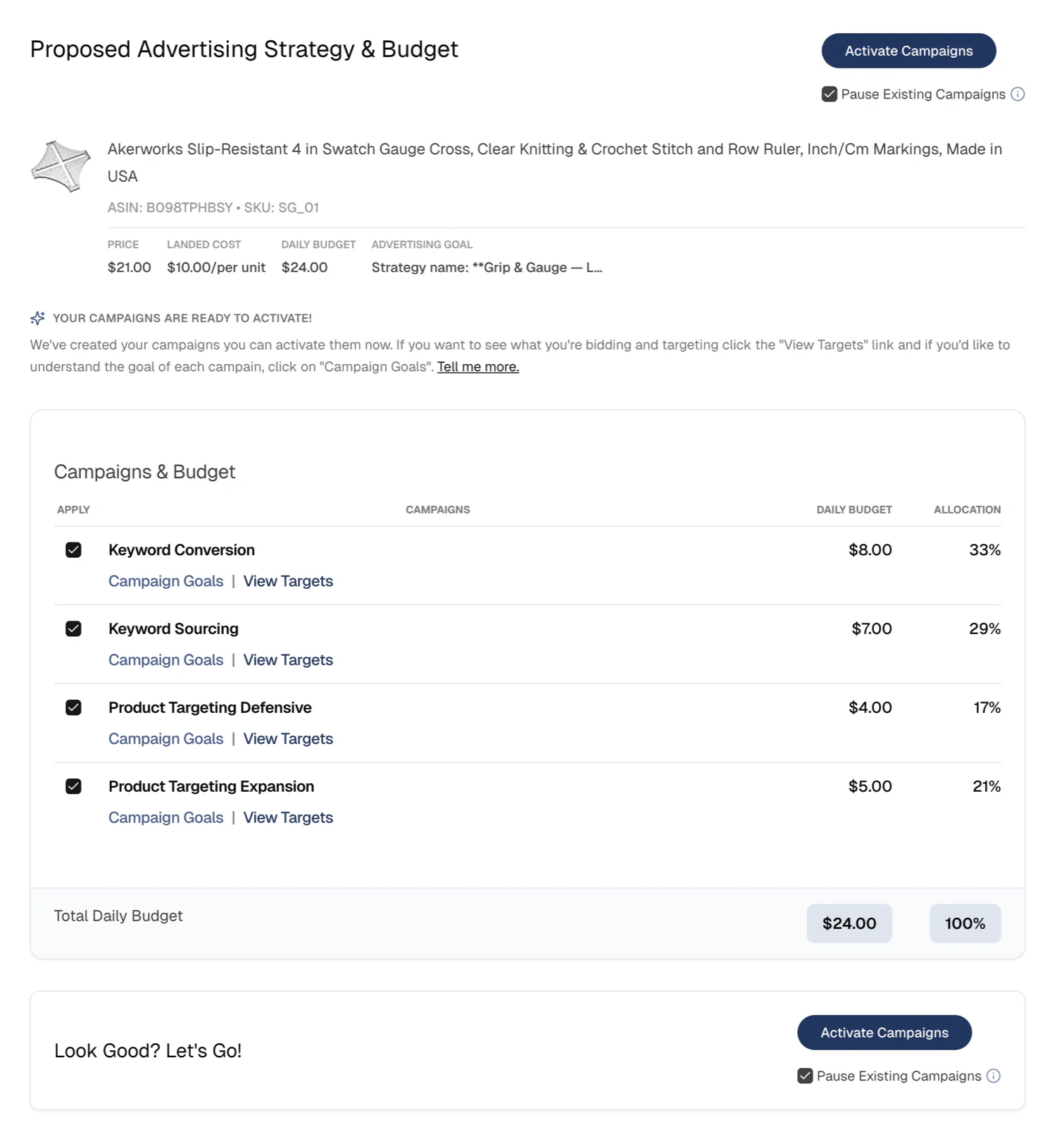
Onboarding walkthrough
Follow these steps to connect your accounts, choose a product, and launch your first campaign.
Watch a video of this walkthroughClick to expand
- 1
Authorize Amazon Ads access
Click Authorize Amazon Ads access to sign in. For a full breakdown of the Amazon authorization screens, see Amazon Ads authorization help.
Authorize Amazon AdsClick to expandClick to collapse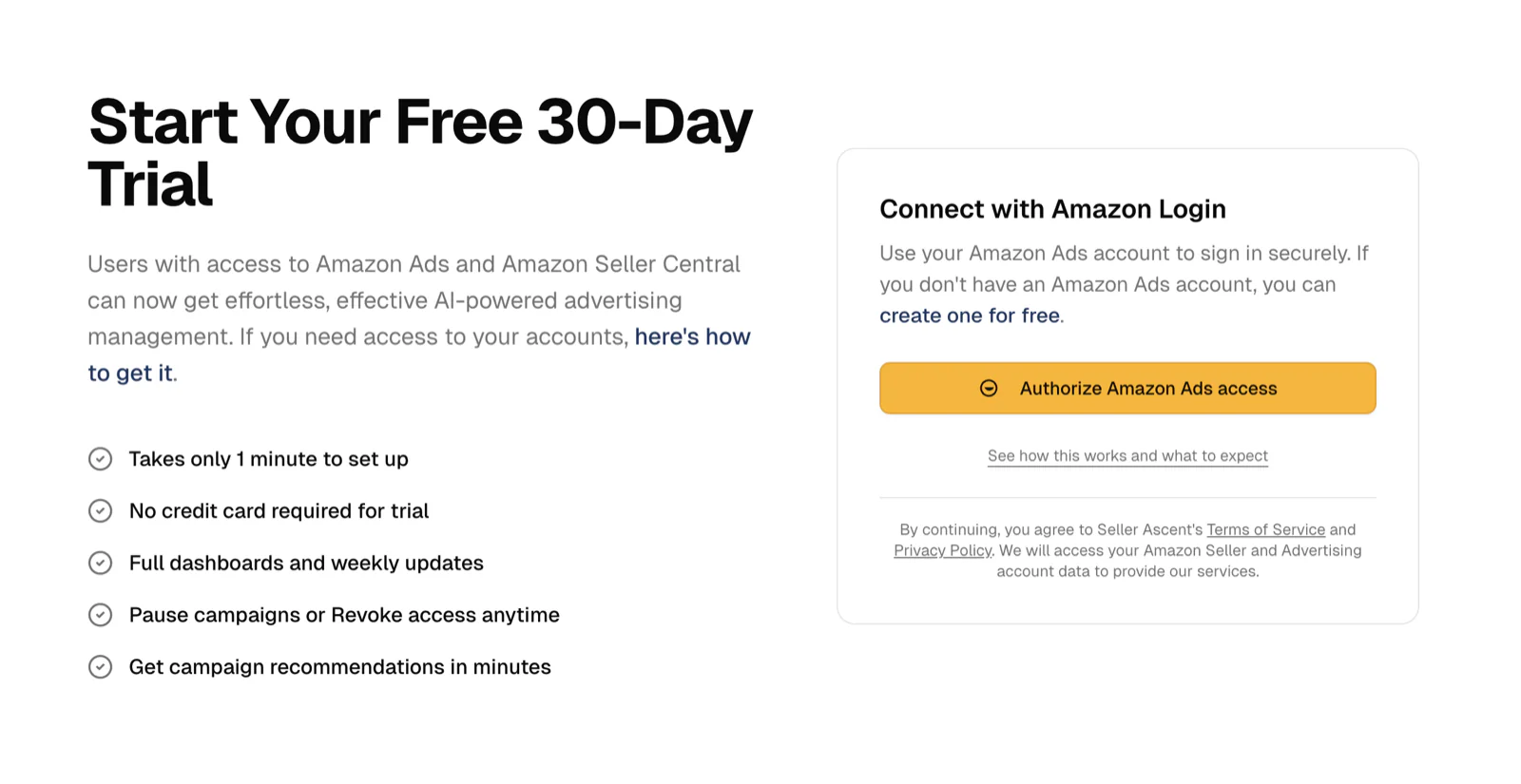
- 2
Choose an ASIN
Select the ASIN you want to advertise, review your optional setup fields, then continue.
Choose ASINClick to expandClick to collapse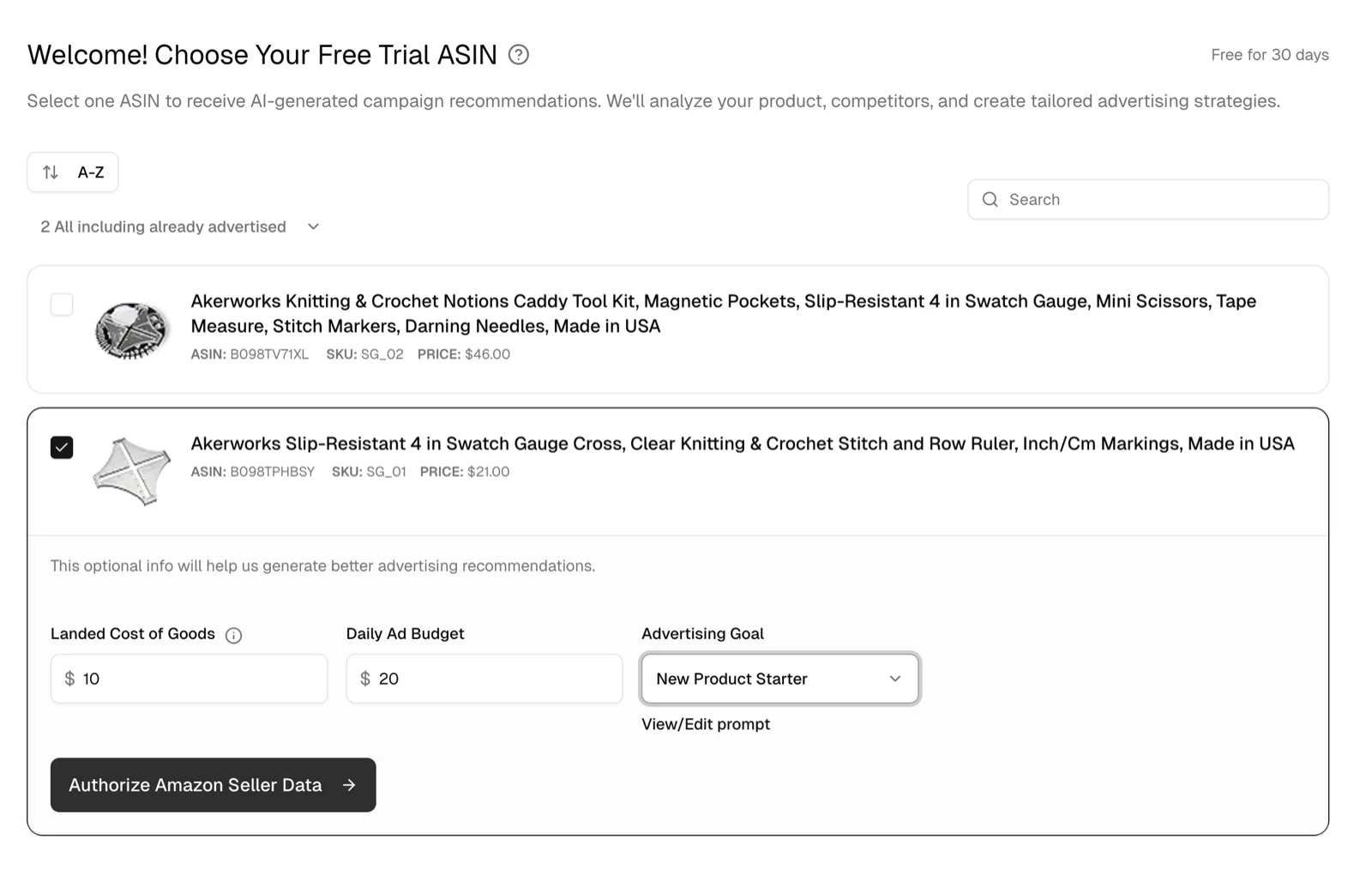
- 3
Authorize Seller Central access
Confirm the Seller Central permissions so Seller Ascent AI can access your seller data.
Authorize Seller CentralClick to expandClick to collapse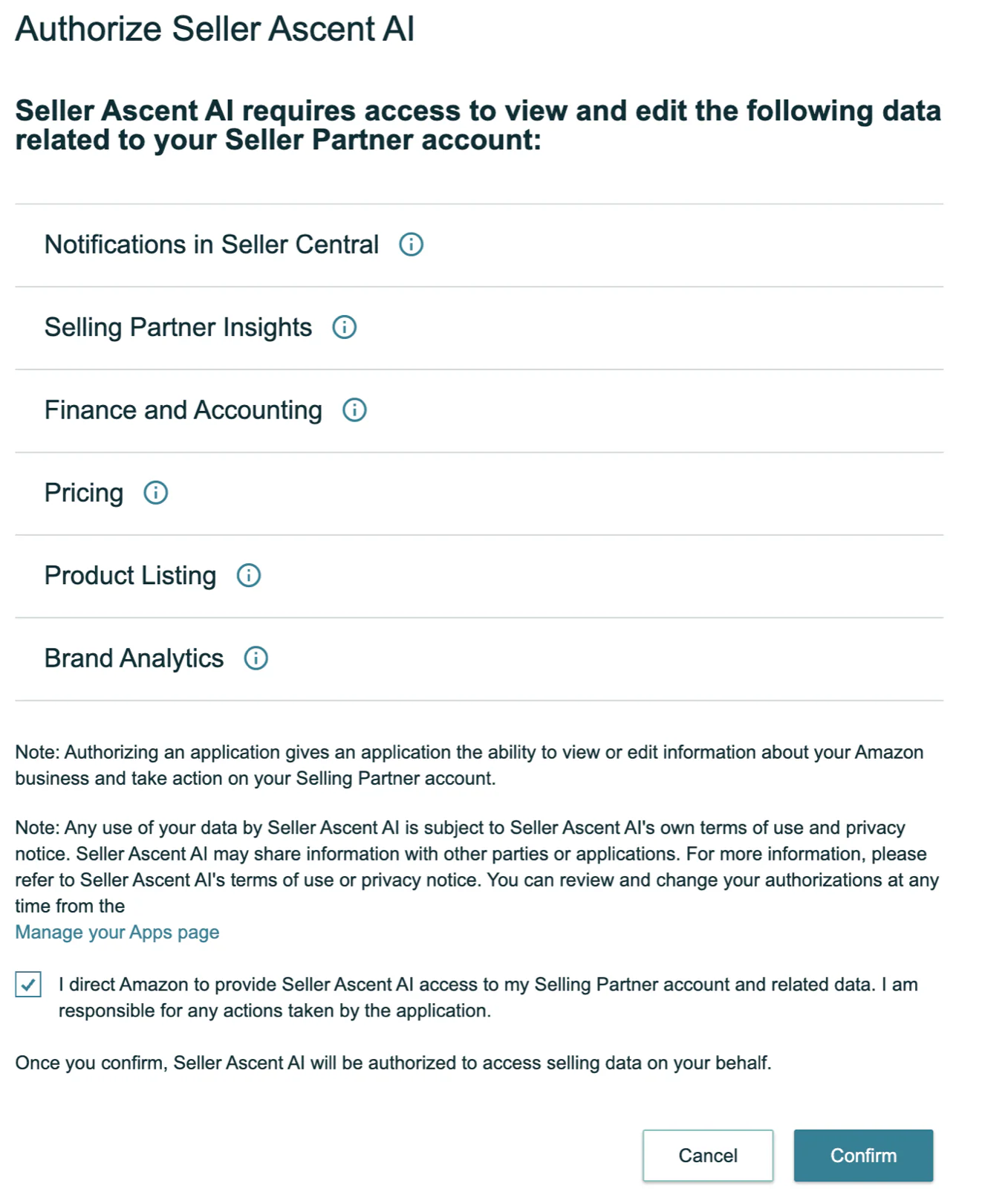
- 4
Watch Seller Ascent AI build your campaigns
Campaign generation can take up to 10 minutes. You can leave this page and come back later. We will send you an email when it is complete.
Campaign generationClick to expandClick to collapse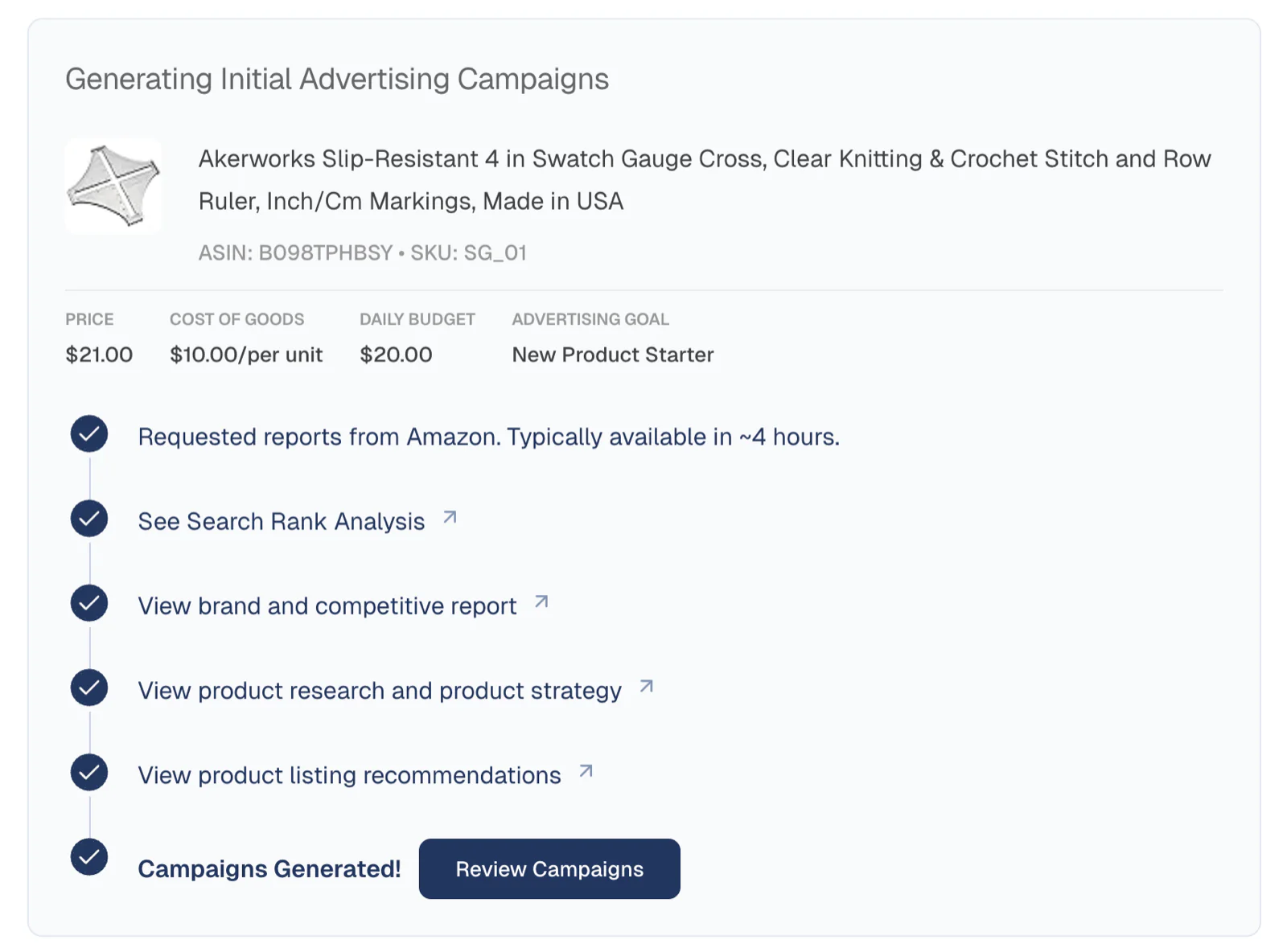
- 5
Click Activate Campaigns
Review the campaign plan, then click Activate Campaigns to launch your first campaign.
Activate campaignsClick to expandClick to collapse